Website logo

Transparent, reliable and free!

Create professional QR codes that never expire — transparent, no hidden costs.

never expires custom design scan insights 99% free
1
?
Werkt voor altijd Niet meetbaar Niet wijzigbaar
2 Complete the content

In short

  • You receive money with a payment request link
  • You cannot put a bank account number in a QR code
  • Create the payment request with your bank
  • Copy that link and paste it into the "Payment request URL" field
  • Payment requests expire after a while, your QR code keeps working
  • You can replace the payment request link with a new one later

Want to know more? Read our blog →

Note: you're better off choosing a dynamic QR code, type Receive money for more options when receiving money via a QR code. A payment link expires, which means your QR code will stop working.
Most phones cannot open a text QR code via the camera app. Learn more
Want to add multiple phone numbers, emails or websites? Choose the paid QR code and you can add more afterwards.
Phone number including country code, digits only
Note: you're better off choosing a dynamic QR code, type Receive money for more options when receiving money via a QR code. A payment link expires, which means your QR code will stop working.
Please enter a valid YouTube URL (youtube.com or youtu.be).
Paste a YouTube video link. Supported formats: youtube.com/watch?v=..., youtu.be/..., youtube.com/shorts/...
Drag files here
or click to select
Allowed: .mp3,.wav,.ogg,.m4a (max 15 MB)
Drag files here
or click to select
Allowed: .pdf (max 10 MB)
Want to reduce your PDF size? Compress it for free at PDFengine.
This can't be set for the free dynamic QR code; it always stays on preview. Choose a paid QR code and you can set this yourself afterwards.
Drag files here
or click to select
Allowed: .jpg,.jpeg,.png,.gif,.webp (max 5 MB)
This text is shown to the person scanning the QR code
With country code, e.g. +31612345678
No landing page — WhatsApp opens straight away for the scanner, with your pre-filled message placed in the chat (paid QR codes only)
This cannot be set for the free dynamic QR code; it always shows the landing page. Choose a paid QR code and you can set up direct forwarding afterwards.
E.g. https://apps.apple.com/app/id...
E.g. https://play.google.com/store/apps/details?id=...
For desktop or unknown devices
The code scanners will see and can copy
Hosting an event? Let visitors upload photos by sharing this QR code. After the event you can download all photos in one go.
A maximum of 200 photos can be uploaded in total.
On 06-08-2026 all photos will be automatically deleted (30 days after the QR code was created).
Between 1 and 3 photos per visitor Maximum 3 photos per device without an account. Log in for more.
Want to add multiple phone numbers, emails or websites? Choose the paid QR code and you can add more afterwards.
Phone number including country code, digits only
With the free QR code, a short text is added to the Notes field in the contact.
JPG or PNG, max 2 MB. Will be cropped to square.
Modern Separated cards, subtle icons
Classic Large photo, bold name
Color of the top block. The gradient is derived automatically.
Adjust text color
By default the text color matches the header color automatically for readability.
On iPhone, your contact details can be added directly to contacts after scanning the QR code. On Android this sometimes works, but not always, depending on the device and Android version. That's why for Android the most user-friendly choice is to show it in a preview.
This is not changeable for the free QR code and is always set to preview by default
Shown at the top of the multilink page. Max 3 MB, PNG/JPG/WEBP.
Add up to 20 links. Each link becomes a button on the landing page.
Paste your bank payment request (Tikkie, ING, Rabo, bunq, PayPal.me, ...). Only known payment services are accepted.
With a single link: send the scanner straight to the payment request, without an in-between page.
Paste your bank payment request (Tikkie, ING, Rabo, bunq, PayPal.me, ...). Only known payment services are accepted.
A payment request expires after a while — your QR code does not! Before this date, create a new payment request yourself and put the new link in this QR code. The QR code stays the same and then points to the new payment request.
We estimate this date based on your payment service. Feel free to adjust it.
Email notification before expiry is available for paying users. The notification becomes active once you have created an account.
1 Enter the title for your Bio Link
2 Create a free account
3 Add links, socials and content
Product / Business

Create a custom landing page with contact details.

  • Choose from professional templates
  • Add images, text and contact info
  • Fully customize the page in the dashboard
For Product / Business you need a free account with a template. Start by creating another QR code to set up your account — then build your template in the dashboard.

Already have an account? Log in

Show product or business information

Want to show more information about your product, business or service, but you don't have your own web page? We have a solution! It's a flexible QR code where you can show any type of content you want: images, product fields, video and 'call to actions'. The possibilities are endless.

Use cases

  • Showing object (house) information
  • Explaining rented machines with damage reporting
  • Detailed product information with a manual
  • Access to an event or park

In short

  • Flexible 'landing page' per QR code
  • Base layout (template) with header, contact information etc.
  • Define your own fields to fill in per QR code
  • Videos, photos and attachments per QR code
  • Call to action for the customer (email) etc.
Example of a product page by Saint-Gobain (plasterboard etc.)

Example of a product page by Saint-Gobain (plasterboard etc.)


See a few examples for yourself

See a few examples for yourself
3 Choose the style of your QR Code
.jpg, .jpeg, .png, .gif allowed. 1 MB maximum.
px

Create a free account to save your QR code and edit it later.

We are: FREE!
We create QR Codes that never expire!!
Happy with that? 😀

Help us out!

Donate once - 19.99 EUR

(donating is possible after creating your first QR code)

What you get:

  • Your own account
  • Unlimited QR Codes
  • No more queues
  • Print-ready: PDF download
  • Save QR Code templates
  • Create QR Codes in bulk

I just want to create free QR codes — how does that work? Read more

GratisQRCode, the largest in the Benelux!

3 miljoen+
scans per year
50.000+
organisations
99%
free
Never expire
both static and dynamic!
Custom work possible

Which type of QR Code suits you?

We ARE transparent! Read more

Static

  • + Many applications: Link, vCard, Wifi etc;
  • + Simple & fast;
  • + Free with our generator!
  • + Unlimited use
  • – Cannot be changed afterwards
  • – One-time download only
  • – Scans cannot be tracked

Example

Static

Dynamic

POPULAIR
  • + Track number of scans;
  • + Link and design can be changed
  • + Never expire | no max scans
  • + Free version and paid (cost per QR code)
  • + Download in your account
  • – Dynamic QR Code linked to business

Example
Dynamic

Receive money with a QR code

Receive payments to your account for your association, organisation or special campaign? You can. We explain it here.

Dynamic QR Code types

  • • Link
  • • v-Card (business card)
  • • Text
  • • Image
  • • PDF
  • • Video
  • • Audio
  • • Product information
Read more
Dynamic QR Code types
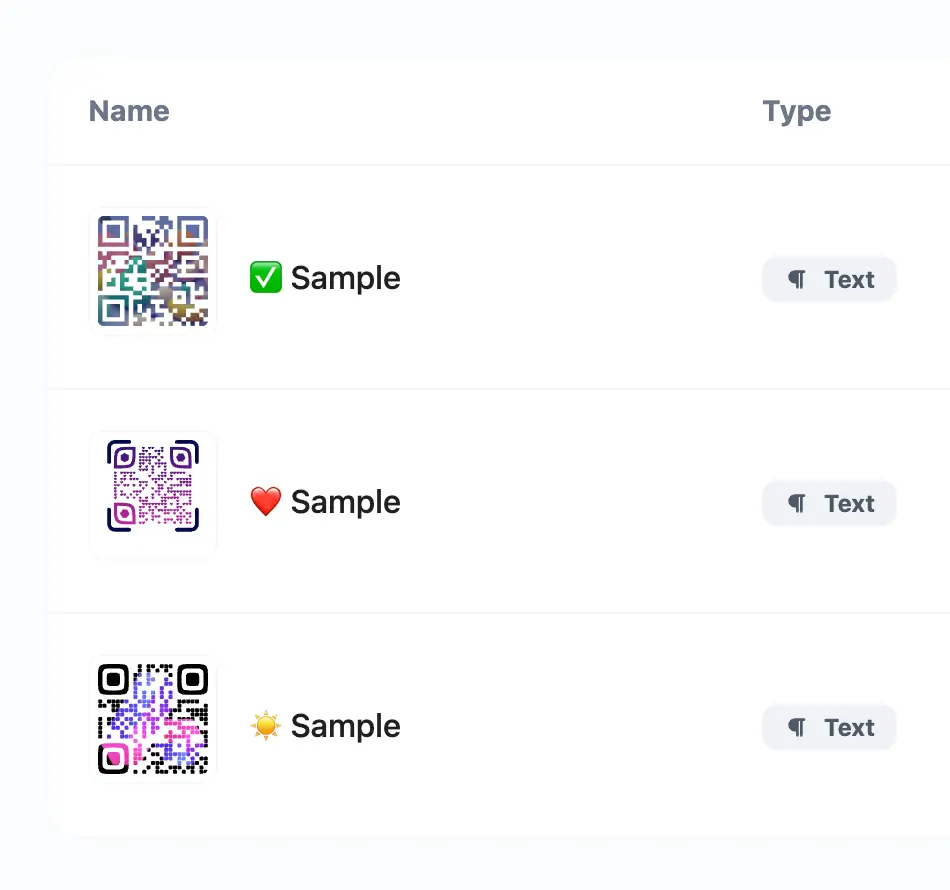
Voorbeeld van een QR-codelijst Drie placeholder-kaarten die een QR-codelijst nabootsen: QR-thumbnail, badges, naam en scan-teller. Vervaagt naar onderen.

Dynamic QR codes

QR codes you can always update — without reprinting.

  • URL, vCard, PDF, image, video and more
  • Change destination after printing
  • Scan statistics per QR code
  • Custom design & logo
  • Never expire
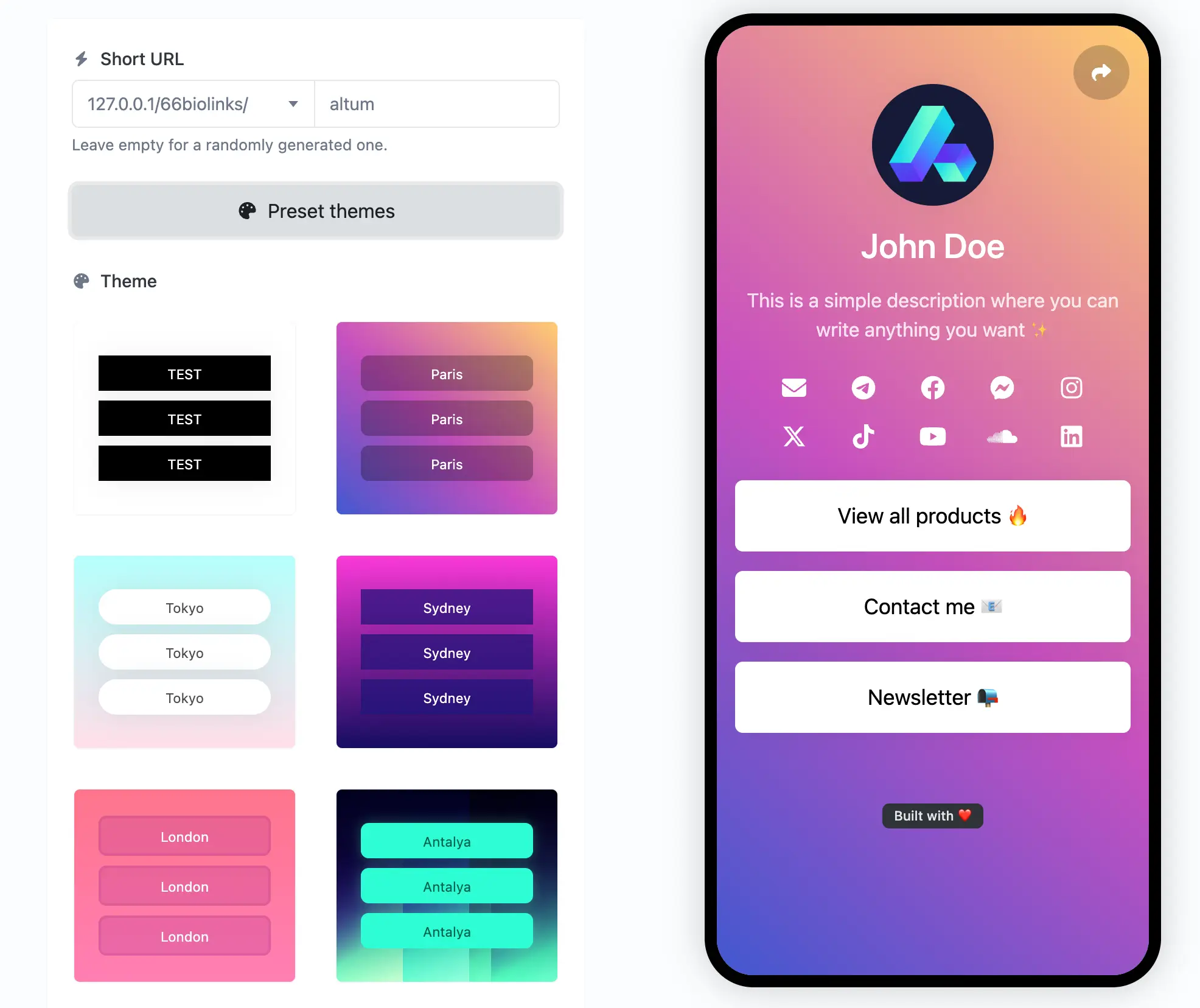
Screenshot of the app biolink editing page

Bio link pages

Create your own unique & highly customizable bio link page with ease.

  • Custom colors & branding
  • Tons of ready-to-use components
  • SEO settings
  • Password protection, sensitive content warning
  • Countless pre-made templates & themes
Screenshot of the app QR code system page

QR-code design

Fully featured QR code generator system with easy to use templates.

  • Custom colors with gradients
  • Custom logo & background branding
  • Multiple QR shapes to choose from
  • Customizable QR Code Frames
Betalen met een QR-code Een gestileerde QR-code met iDEAL- en WERO-betalingslogo's in het midden. iDEAL WERO

Pay by QR code

Let customers pay instantly via your QR — no app or account needed.

  • iDEAL and Wero payments
  • Ready to use on print, screen and packaging
  • Perfect for events, restaurants and web shops
  • Automatic payment confirmation by email
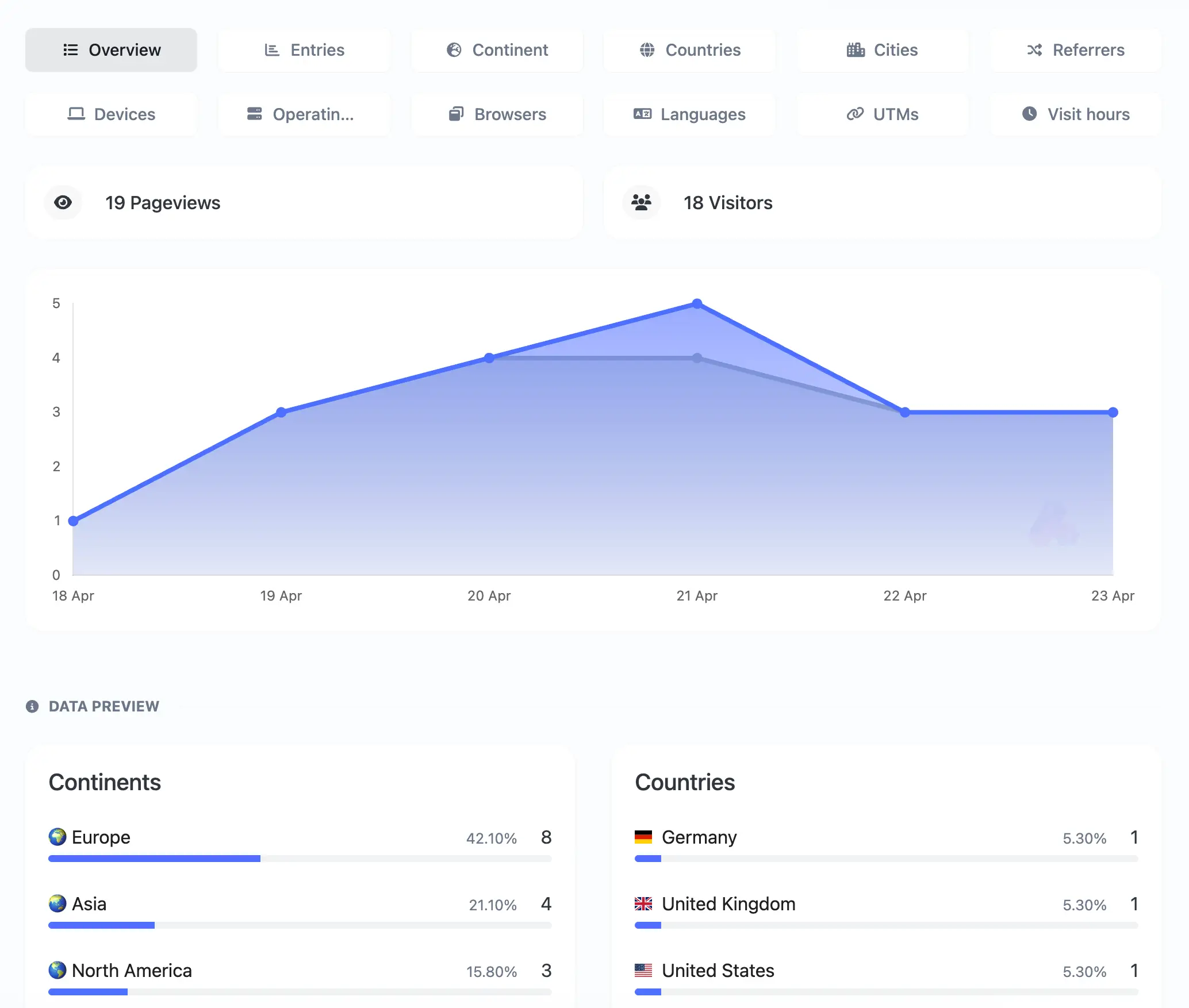
Screenshot of the app links analytics system page

Built-in analytics

Easy to understand, yet detailed analytics for all your links.

  • Continents, Countries & cities
  • Referrers & UTMs
  • Devices & operating systems
  • Browsers, Languages
  • GDPR, CCPA and PECR compliant
Bulk QR codes aanmaken via CSV Een CSV-spreadsheet aan de linkerkant met pijlen naar drie QR-codes aan de rechterkant. CSV

Create QR codes in bulk

Create hundreds of QR codes at once via a simple CSV upload.

  • Upload a CSV file
  • Each row becomes a separate QR code
  • Static or dynamic
  • Download all codes as ZIP

Tracking pixels

All the links easily integrate with any of the following pixel providers.

Facebook
Google Analytics
Google Tag Manager
LinkedIn
Pinterest
X
Quora
TikTok
Snapchat
API system

Developer ready

Fully featured & easy to use API system for developers.

Links
Links statistics
QR codes
Tracking (Pixels)
Custom domains
API Documentation
curl --request POST \
--url 'https://gratisqrcode.nl/api/links' \
--header 'Authorization: Bearer {api_key}' \
--header 'Content-Type: multipart/form-data' \
--form 'url=example' \
--form 'location_url=https://gratisqrcode.nl/' \

Answer for your common question

Converting between static and dynamic QR codes is not possible — a new QR code would need to be created. The two types work so differently that conversion is impossible. You can easily create a new static or dynamic QR code here.

No, at GratisQRcode.nl all QR codes work forever! Both static and dynamic, both paid and free versions. Nothing expires. You can create QR codes with us here.

At GratisQRcode.nl you always have the choice to pay nothing and you are never locked into subscriptions. Thanks to donations and payments for extra services, GratisQRcode.nl has been able to offer free QR codes for years. Want to help us? You can see all the benefits of a donation here.

Yes, that is possible with so-called payment requests. Money is received directly into your own bank account. We have written a blog about this that you can read here.

Latest blog posts

Illustration showing a QR code and AI assistant icon on a dark background, with the text Make QR Codes with ChatGPT and Claude

Make QR Codes with ChatGPT and Claude — Step-by-Step Guide (2026)

Connect your AI assistant to your qrcode.me account and make dynamic QR codes just by asking. Works with Claude, ChatGPT Business and Gemini CLI.